Adobe Media Encoder 2026(Me2026直装版) v26.5.0.85 中文直装版
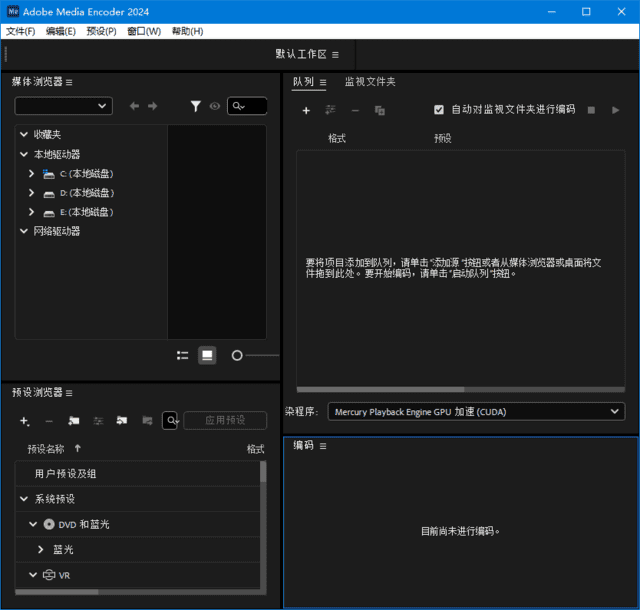
Adobe Media Encoder 2026 功能强大的媒体处理工具,可实现媒体摄入、转码、创建代理文件以及导出多种格式文件等操作。它能与 Adobe Premiere Pro、After Effects 等 Adobe 家族软件深度集成,搭建起无缝的工作流程,方便创作者在不同软件间处理媒体文件时顺畅衔接。
软件功能
by KpoJIuK,m0nkrus– 本版本基于未公开发布的 Adobe 独立安装程序(版本 6.10.0.252.3)制作。
– 移除了原安装程序中通常为强制安装的 Adobe Desktop Common 模块(仅保留了运行所需的最低限度组件)。
– 完全移除了原安装程序中通常为强制安装的 Adobe Creative Cloud 模块。
– 修复了此前被开发者破坏的界面语言选择功能。
– 安装程序允许用户选择安装路径和界面语言,并支持在安装完成后立即启动程序。
– 支持在旧版本的 Windows 10 和 Windows 11 上进行安装。
– 安装包中剔除了 16 个“语音转文字语言包”辅助模块(总大小约 14 GB)。
– Adobe Media Encoder 主程序模块已更新至版本 26.5.0.85。
– Microsoft VC 2022 Runtime 辅助模块已更新至版本 2.0.0.2。
– 若系统中此前已随其他 Adobe 程序安装了 Adobe Genuine Service 间谍软件模块,该模块将被移除。
– 禁用了 CRLog Transport Application、Adobe Crash Report 和 Crashpad Handler 等间谍软件模块。
– 程序已预先激活,安装后即可直接使用。 <blockquoteMicrosoft Yahei', MiSans, 'HarmonyOS Sans', 'Segoe UI', Roboto, 'Helvetica Neue', Arial, 'Noto Sans', sans-serif, 'Apple Color Emoji', 'Segoe UI Emoji', 'Segoe UI Symbol', 'Noto Color Emoji'; font-style: normal; font-variant-ligatures: normal; font-variant-caps: normal; font-weight: 400; letter-spacing: normal; orphans: 2; text-align: start; text-indent: 0px; text-transform: none; widows: 2; word-spacing: 0px; -webkit-text-stroke-width: 0px; white-space: normal; background-color: #ffffff; text-decoration-thickness: initial; text-decoration-style: initial; text-decoration-color: initial;">
编辑原因:2026.09.13 更新 Adobe Media Encoder 2026 v26.5.0.85 m0nkrus 直装版