QQ音乐PC版客户端 v22.26.00 去广告绿色版
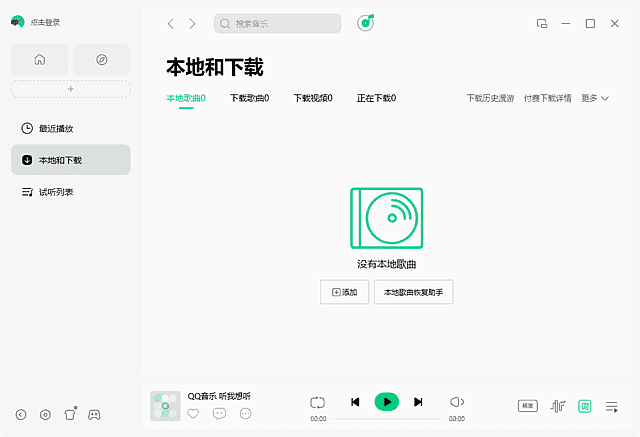
QQ音乐播放器(QQMusic)拥有最大正版音乐曲库,免费畅享5.1声道品质音效,耳纹音效,Super Sound智能音效,黑胶音效等,支持声学适配.QQ音乐客户端,听歌偏好智能推荐,支持听歌识曲,QQ等级加速,首创歌词翻译.
新版变化
– AI功能升级:新增“AI演奏家”与“AI唱”功能,支持AI生成演奏与演唱。– 音质升级:臻品全景声升级至4.0,沉浸感增强;支持母带音质与DTS音质。<brMicrosoft Yahei', MiSans, 'HarmonyOS Sans', 'Segoe UI', Roboto, 'Helvetica Neue', Arial, 'Noto Sans', sans-serif, 'Apple Color Emoji', 'Segoe UI Emoji', 'Segoe UI Symbol', 'Noto Color Emoji'; font-size: 16px; font-style: normal; font-variant-ligatures: normal; font-variant-caps: normal; font-weight: 400; letter-spacing: normal; orphans: 2; text-align: start; text-indent: 0px; text-transform: none; widows: 2; word-spacing: 0px; -webkit-text-stroke-width: 0px; white-space: normal; background-color: #ffffff; text-decoration-thickness: initial; text-decoration-style: initial; text-decoration-color: initial;" /><spanMicrosoft Yahei', MiSans, 'HarmonyOS Sans', 'Segoe UI', Roboto, 'Helvetica Neue', Arial, 'Noto Sans', sans-serif, 'Apple Color Emoji', 'Segoe UI Emoji', 'Segoe UI Symbol', 'Noto Color Emoji'; font-size: 16px; font-style: normal; font-variant-ligatures: normal; font-variant-caps: normal; font-weight: 400; letter-spacing: normal; orphans: 2; text-align: start; text-indent: 0px; text-transform: none; widows: 2; word-spacing: 0px; -webkit-text-stroke-width: 0px; white-space: normal; background-color: #ffffff; text-decoration-thickness: initial; text-decoration-style: initial; text-decoration-color: initial; display: inline !important; float: none;">– 多端与云服务:新增云盘功能,实现多端歌曲同步;支持多个设备同时播放。
特点描述
qq音乐客户端,qq音乐播放器绿色版,qq音乐2025去广告版
– 绿化逆向去广告:去我的音乐页面右侧广告及歌单页面右侧广告
– 绕过组件检测效验,删除QQMusicUp.exe,QQMusicExternal.exe
– 去菜单检测更新项,禁检测效验不创建QQMusicUp.exe等升级进程
– 禁止在系统后台%AppData%\Tencent\ 里生成产品日志logs文件夹
– 禁用网络校验和错误上报,绕过强制升级,启动时跳过所有升级检测
下载地址
QQ音乐PC版客户端 v22.26.00 去广告绿色版
QQ音乐Windows版 v22.26.0 最新版(2026/06/04)
https://y.qq.com/download/index.html
支持Winnap2和VST的QQ音乐客户端官方音效插件
http://dl_dir.qq.com/music/clntupate/QQMusicSoundEffectInstall.exe
资源下载
- 夸克网盘
- 迅雷网盘
下载链接需要在页面上点击「获取下载链接」按钮获取,链接有时效,过期可重新生成。