拾贝软库 拾贝软库 · 轻量、简洁的软件资源站

Edge WebView2运行库 v152.0.4191.62 精简绿色版
发布于 2026-04-07 21:58 · 更新于 2026-09-03 19:40

Edge WebView2运行库 v152.0.4191.62 精简绿色版

by pkups
1. 将 ar.webview2.portable.7z 解压到任意目录
2. 到下面的页面下载 Fixed Version(页面滚动到右下角,注意选自己想要的架构,一般都是64位):
https://developer.microsoft.com/en-us/microsoft-edge/webview2
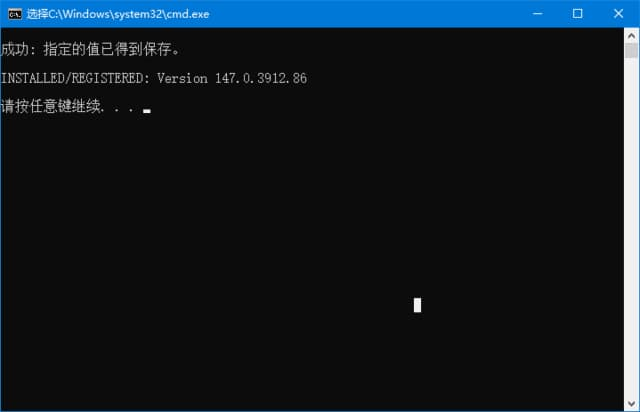
3. 将下载到的CAB文件拖到 .install.bat 上面,脚本会自动解压缩、注册
4. 注册完成后就可以删除CAB了
5. 下载过之后 重装 直接运行 .install.bat 即可
6. 升级 重复1~3步骤,然后到 .bin 目录删除旧版即可
支持安装时检测 和 运行时检测,目前为止未发现兼容性问题。

<pMicrosoft Yahei', MiSans, 'HarmonyOS Sans', 'Segoe UI', Roboto, 'Helvetica Neue', Arial, 'Noto Sans', sans-serif, 'Apple Color Emoji', 'Segoe UI Emoji', 'Segoe UI Symbol', 'Noto Color Emoji'; font-size: 16px; font-style: normal; font-variant-ligatures: normal; font-variant-caps: normal; font-weight: 400; letter-spacing: normal; orphans: 2; text-align: start; text-indent: 0px; text-transform: none; widows: 2; word-spacing: 0px; -webkit-text-stroke-width: 0px; white-space: normal; background-color: #ffffff; text-decoration-thickness: initial; text-decoration-style: initial; text-decoration-color: initial;">用途:
现在很多软件都依赖WebView2,如果按提示安装默认的WebView2,会添加自动更新任务,拖慢系统
绿色:没有驻留进程/DLL,仅根据微软文档定义了两个环境变量
精简:仅保留 简繁英 三种语言(减少200M左右)
临时文件保存到 .data 目录中,不占用系统盘
用法:
运行 .install.bat 完成安装,无需管理员权限
如果之前用过旧版,先运行 .unInstall.bat,再运行 .install.bat。

下载地址

Edge WebView2运行库 v152.0.4191.62 精简绿色版

资源下载

  • 夸克网盘
  • 迅雷网盘

下载链接需要在页面上点击「获取下载链接」按钮获取,链接有时效,过期可重新生成。

来源:https://www.coowsoft.com/48498.html